Is there a way to make the barcode human readable text font size smaller?
Yes, it's easy.
1. Select your barcode object
2. Switch to the Text Properties in the Object Information panel,
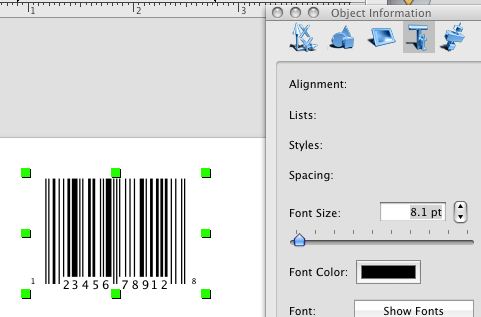
3. Use the Font Size Slider to change the text size, or, alternatively, click the Show Fonts button, and
make the desirable settings in the Fonts panel.

